I won't train anything on your diary
There's no chat window, no summary of your year, no pop-up inviting you to interrogate your own diary. Nothing you write in Cozy is scraped, read, or sent off to a model, mine or anybody else's.

Cozy keeps your journal on your own device, as your own files you can open with anything. There's no Cozy server, and nothing is fed to AI.
For macOS, Windows, iPhone & iPad · One-time purchase, no subscription
Set an alarm for 4:20 and almost talked myself out of it. So glad I didn't.

The lake was perfectly still. Fuji doubled in the water like the mountain couldn't quite believe itself either. A few other people stood along the shore, all of us quiet, all of us holding our breath a little.
I've seen this view on a hundred postcards. None of them tell you how cold the air is, or how the pink creeps down the snow so slowly you don't notice until it's gone. Best morning of the trip, easily.
Rented a bike and got pleasantly lost in the back lanes below the mountain. Out past the guesthouses the town just turns into rice paddies, the young green shoots standing in their mirrors of water.
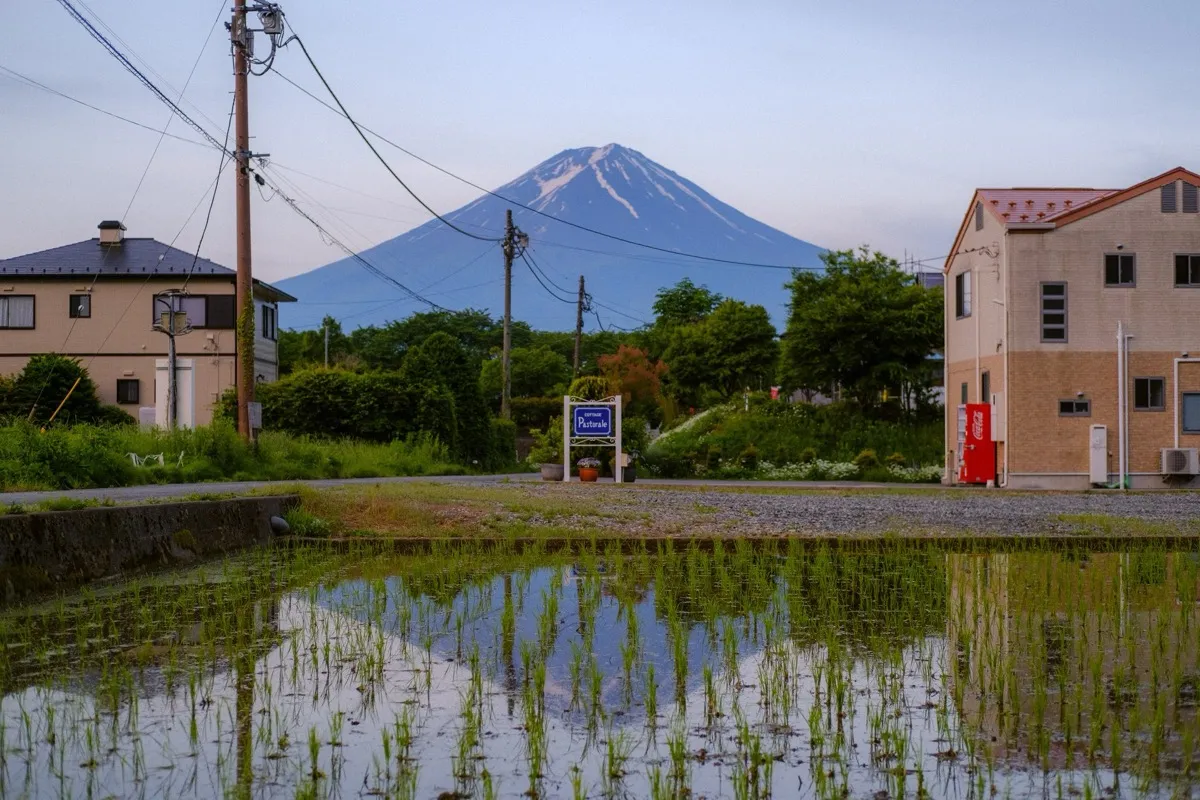
There was a hand-painted sign for a cottage, a red vending machine humming away, Fuji sitting behind all of it like it was the most ordinary thing in the world. I love these in-between places more than the famous ones. Nobody here, just the frogs and the powerlines and me.
Walked the river at dusk when the whole sky went lilac. The water turns the same color and you lose track of where one ends.
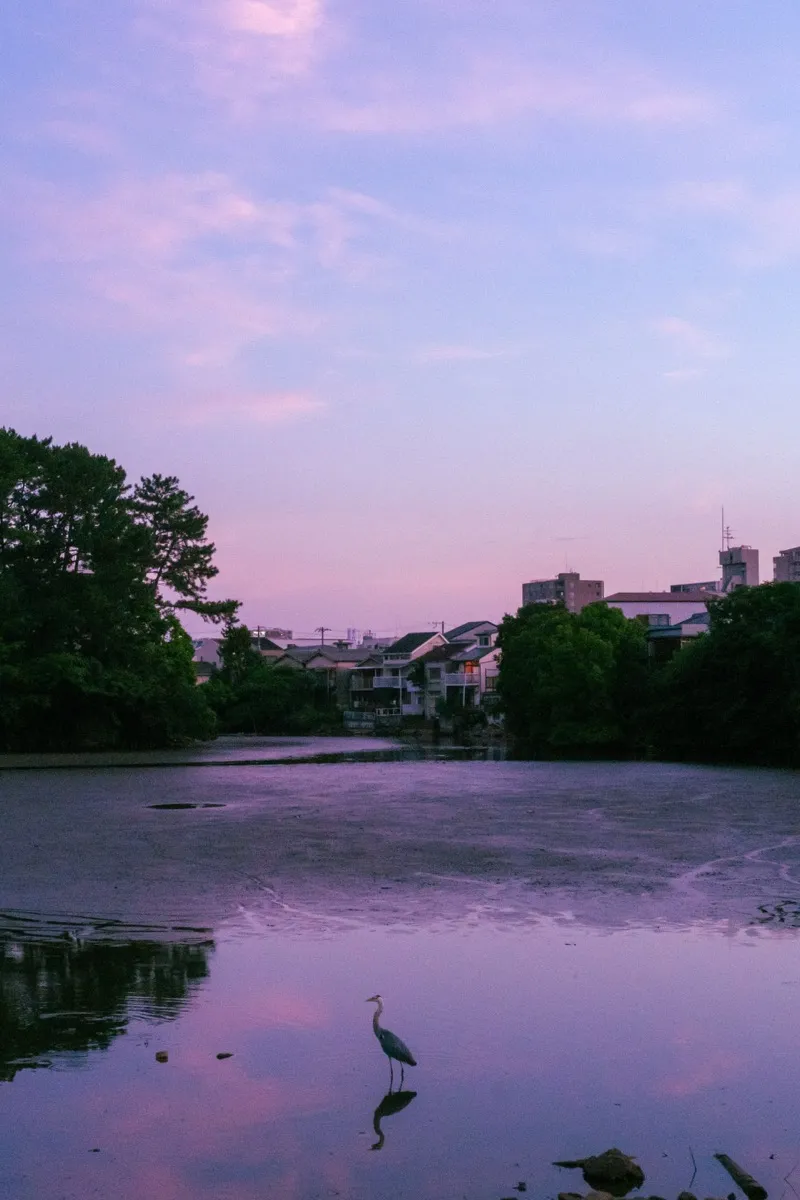
A grey heron stood dead still in the shallows, waiting on something only it could see. Couples sat spaced evenly along the bank the way they always are here, an unspoken arithmetic. Kyoto does evening better than anywhere I've been.
Spent the afternoon doing nothing in particular in the old streets, just watching the neighborhood go about itself.
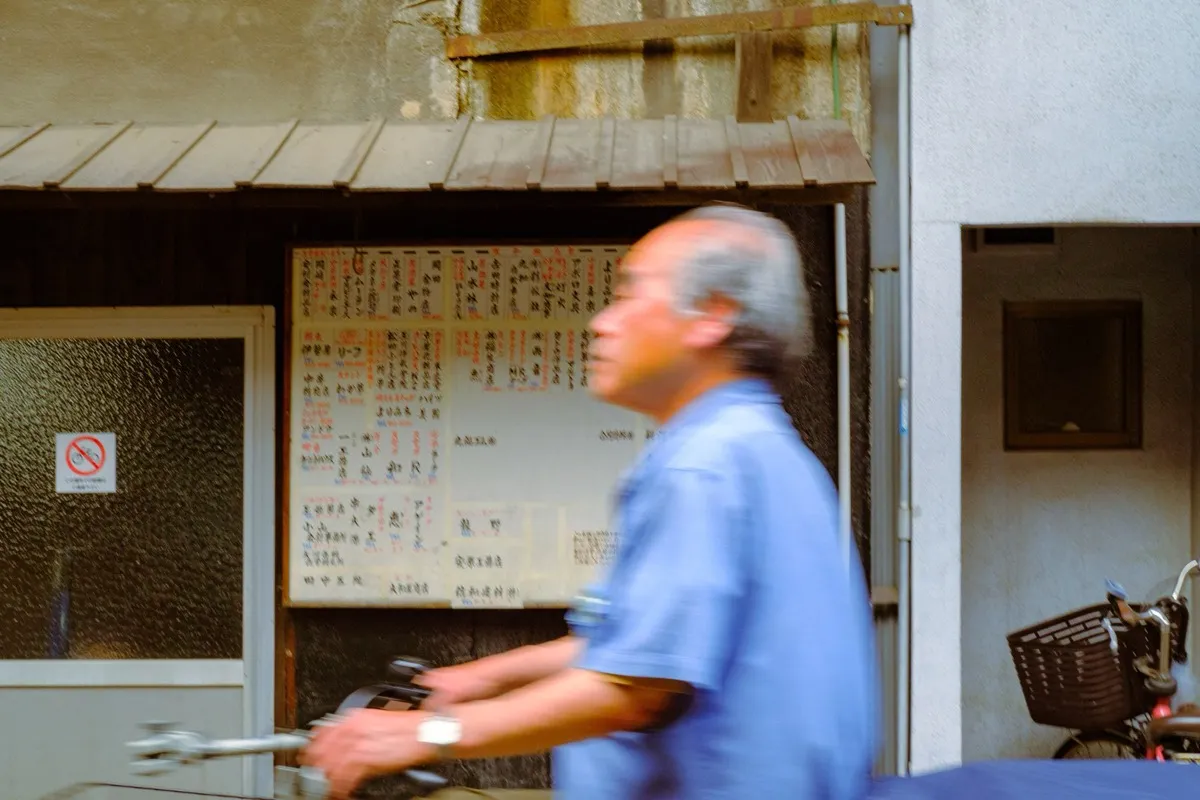
An older man swept past on a bicycle, fast enough to blur. The noticeboard of shop names behind him a wall of kanji I couldn't read. I like the days with no plan best, you stop chasing sights and start noticing people. He was gone before I could even nod.
It hit 30 degrees by noon and the city answered the only way it knows how: a cold drink every hundred meters, glowing in a machine.
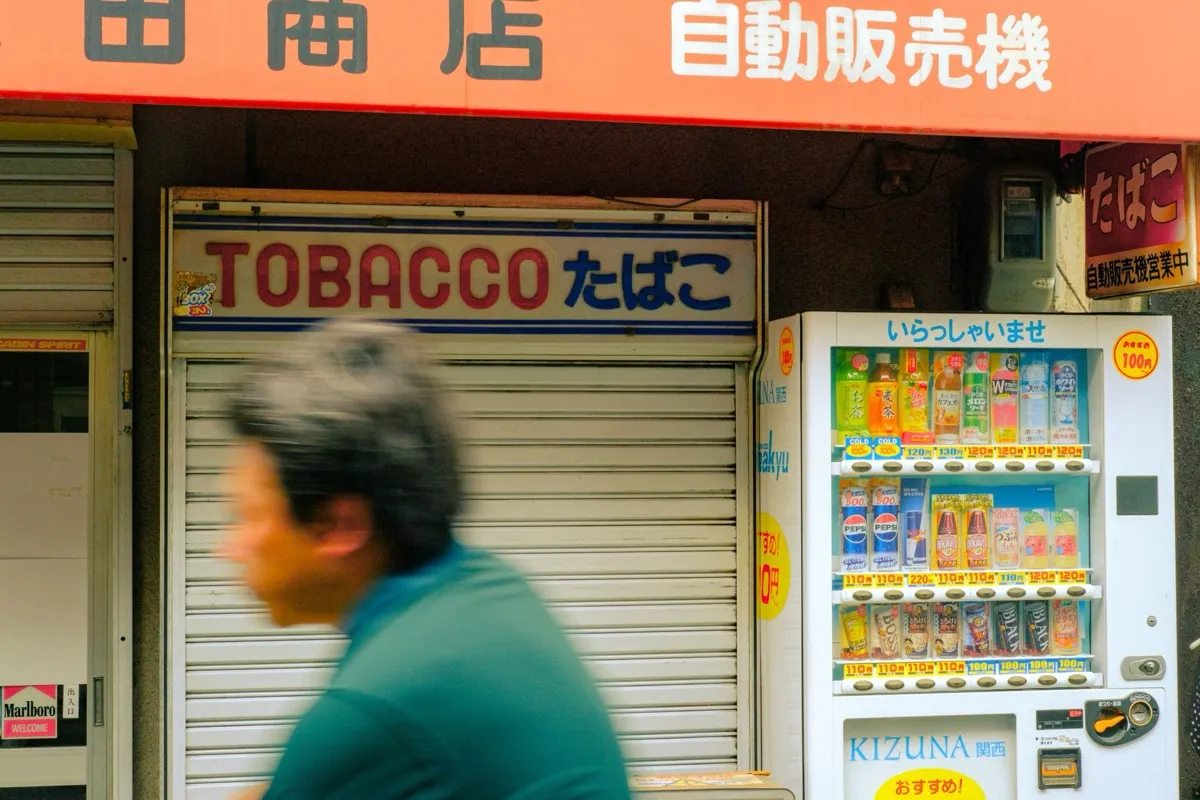
Stood in front of one outside a shuttered tobacco shop, agonizing over melon soda versus cold barley tea like it was a real decision. Someone walked past mid-sip. Got the barley tea. Correct call. Osaka in early summer is loud and bright and a little sticky and I'm completely charmed by it.
Caught this on the way back from lunch and it made my whole day.
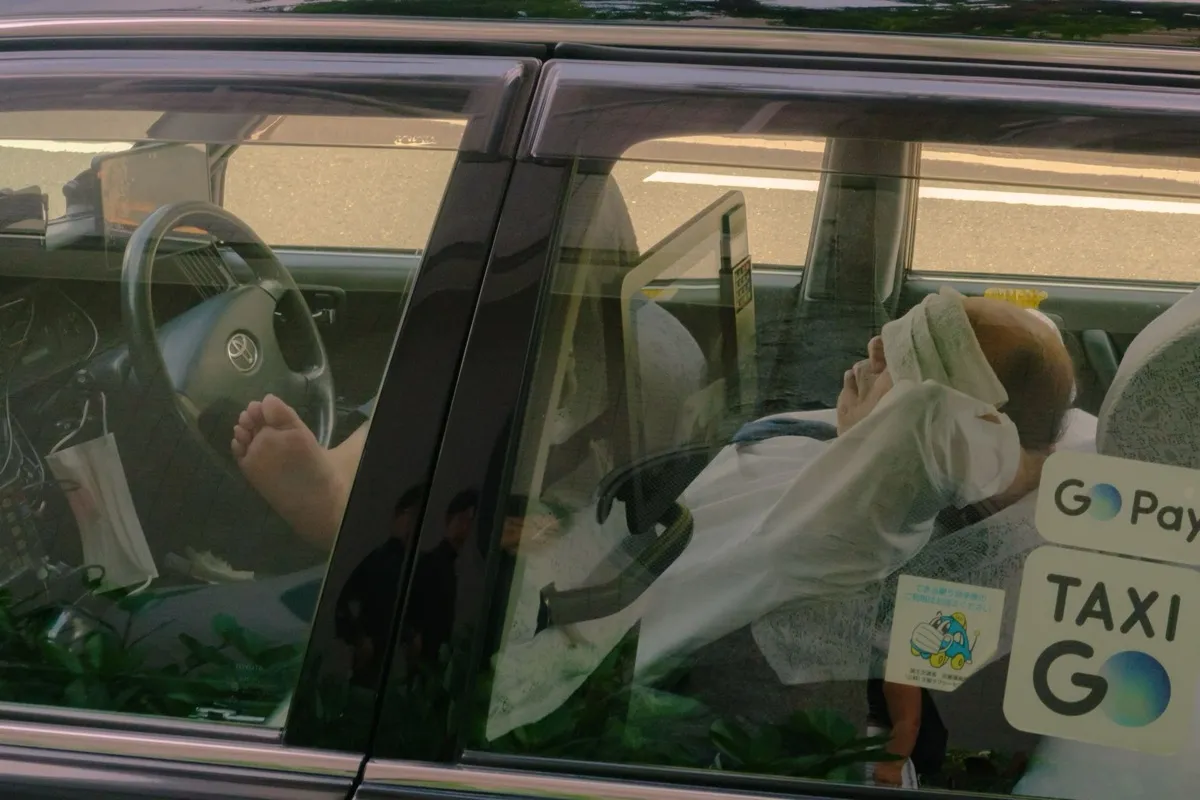
A taxi driver, fully reclined in the back seat, white towel laid over his eyes, gloves still on, having the most committed afternoon nap I have ever witnessed. The car immaculate, the little doily headrests, the GO sticker on the glass. Everyone here seems to have mastered the art of resting properly. I'm taking notes.
Dropped the bags, splashed water on my face, and went straight back out, too wired to sleep, too curious to waste the night.
The city is exactly as much as everyone says. Trains gliding in on the minute, a hundred tiny restaurants stacked up each staircase, the hum of it all somehow orderly. Ate standing ramen at a counter for six, pointed at a photo, got something perfect. Jet-lagged and grinning on a corner at midnight. Three weeks of this ahead.
Packed light, finally. One bag, good shoes, the little camera. Everything else I can buy or do without.
I've wanted this trip for years and somehow it's tomorrow. That funny pre-departure feeling, half nerves, half the kind of lightness you only get when the to-do list is suddenly behind you. Whatever the next few weeks are, I want to actually be in them. Writing it down so I remember to look up from the screen.
Followed my nose and a wall of neon into the market and just ate my way down the lane. Pepper buns straight from the clay oven, mango shaved ice the size of my head, a sausage-in-sausage thing I still don't fully understand and would order again immediately.
Scooters everywhere, steam everywhere, aunties running stalls they've clearly run for decades. Taipei is so easy to like. Sweaty, full, happy.
Rained all day so I gave in to it, ducked between cafes in the old hanok lanes, nursing one coffee at a time, watching the alleys shine.
Ended up in a tiny second-floor place with one perfect window seat, journaling while the city dripped. There's a particular comfort to being warm and dry and far from home, watching weather you have no obligation to fix. Galbi for dinner, fingers smelling of charcoal the whole walk back.
The heat here is a physical opponent. By ten in the morning I'd surrendered, found a plastic stool in the shade and let a bowl of boat noodles and an iced coffee put me back together.
Loud, chaotic, alive in a way that's hard to describe. Tuk-tuks, temple gold, a cat asleep on a motorbike seat. I'm worn out and a little overwhelmed and still wouldn't trade the day. Early night, ceiling fan on full.
First stop of the whole trip. Up early with the jet lag, which turned out to be a gift. The Old Quarter at six is a different city, all sweeping brooms and breakfast steam before the motorbikes take over.
Sat on a tiny stool with a bowl of phở and a glass of fierce iced coffee and watched the street wake up around me. This is the part of travel I love most: the first ordinary morning somewhere new, before you know anything, when it's all still in front of you.
Set an alarm for 4:20 and almost talked myself out of it. So glad I didn't.
The lake was perfectly still. Fuji doubled in the water like the mountain couldn't quite believe itself either. A few other people stood along the shore, all of us quiet, all of us holding our breath a little.
I've seen this view on a hundred postcards. None of them tell you how cold the air is, or how the pink creeps down the snow so slowly you don't notice until it's gone. Best morning of the trip, easily.
Rented a bike and got pleasantly lost in the back lanes below the mountain. Out past the guesthouses the town just turns into rice paddies, the young green shoots standing in their mirrors of water.
There was a hand-painted sign for a cottage, a red vending machine humming away, Fuji sitting behind all of it like it was the most ordinary thing in the world. I love these in-between places more than the famous ones. Nobody here, just the frogs and the powerlines and me.
Walked the river at dusk when the whole sky went lilac. The water turns the same color and you lose track of where one ends.
A grey heron stood dead still in the shallows, waiting on something only it could see. Couples sat spaced evenly along the bank the way they always are here, an unspoken arithmetic. Kyoto does evening better than anywhere I've been.
Spent the afternoon doing nothing in particular in the old streets, just watching the neighborhood go about itself.
An older man swept past on a bicycle, fast enough to blur. The noticeboard of shop names behind him a wall of kanji I couldn't read. I like the days with no plan best, you stop chasing sights and start noticing people. He was gone before I could even nod.
It hit 30 degrees by noon and the city answered the only way it knows how: a cold drink every hundred meters, glowing in a machine.
Stood in front of one outside a shuttered tobacco shop, agonizing over melon soda versus cold barley tea like it was a real decision. Someone walked past mid-sip. Got the barley tea. Correct call. Osaka in early summer is loud and bright and a little sticky and I'm completely charmed by it.
Caught this on the way back from lunch and it made my whole day.
A taxi driver, fully reclined in the back seat, white towel laid over his eyes, gloves still on, having the most committed afternoon nap I have ever witnessed. The car immaculate, the little doily headrests, the GO sticker on the glass. Everyone here seems to have mastered the art of resting properly. I'm taking notes.
Dropped the bags, splashed water on my face, and went straight back out, too wired to sleep, too curious to waste the night.
The city is exactly as much as everyone says. Trains gliding in on the minute, a hundred tiny restaurants stacked up each staircase, the hum of it all somehow orderly. Ate standing ramen at a counter for six, pointed at a photo, got something perfect. Jet-lagged and grinning on a corner at midnight. Three weeks of this ahead.
Packed light, finally. One bag, good shoes, the little camera. Everything else I can buy or do without.
I've wanted this trip for years and somehow it's tomorrow. That funny pre-departure feeling, half nerves, half the kind of lightness you only get when the to-do list is suddenly behind you. Whatever the next few weeks are, I want to actually be in them. Writing it down so I remember to look up from the screen.
Followed my nose and a wall of neon into the market and just ate my way down the lane. Pepper buns straight from the clay oven, mango shaved ice the size of my head, a sausage-in-sausage thing I still don't fully understand and would order again immediately.
Scooters everywhere, steam everywhere, aunties running stalls they've clearly run for decades. Taipei is so easy to like. Sweaty, full, happy.
Rained all day so I gave in to it, ducked between cafes in the old hanok lanes, nursing one coffee at a time, watching the alleys shine.
Ended up in a tiny second-floor place with one perfect window seat, journaling while the city dripped. There's a particular comfort to being warm and dry and far from home, watching weather you have no obligation to fix. Galbi for dinner, fingers smelling of charcoal the whole walk back.
The heat here is a physical opponent. By ten in the morning I'd surrendered, found a plastic stool in the shade and let a bowl of boat noodles and an iced coffee put me back together.
Loud, chaotic, alive in a way that's hard to describe. Tuk-tuks, temple gold, a cat asleep on a motorbike seat. I'm worn out and a little overwhelmed and still wouldn't trade the day. Early night, ceiling fan on full.
First stop of the whole trip. Up early with the jet lag, which turned out to be a gift. The Old Quarter at six is a different city, all sweeping brooms and breakfast steam before the motorbikes take over.
Sat on a tiny stool with a bowl of phở and a glass of fierce iced coffee and watched the street wake up around me. This is the part of travel I love most: the first ordinary morning somewhere new, before you know anything, when it's all still in front of you.
I built Cozy because I wanted a private place to write, not another app offering to do something clever with what I put into it.
There's no chat window, no summary of your year, no pop-up inviting you to interrogate your own diary. Nothing you write in Cozy is scraped, read, or sent off to a model, mine or anybody else's.
Your journal lives where you write it, on your own device. Cozy has no server and no account, so there's nothing on my side for anyone to break into.
Every entry is a file in a folder you pick. Open them with any app. They stay readable without Cozy.
You can add a photo or several, an audio file, or a video, whether it lives on your computer or comes from YouTube.
Tag your entries and mark where you were. Later, filter the whole journal down to one tag.
Slip into a full-screen writing mode with soft sound in the background: rain, a forest, a café. Turn on key sounds and the keyboard clicks as you type.
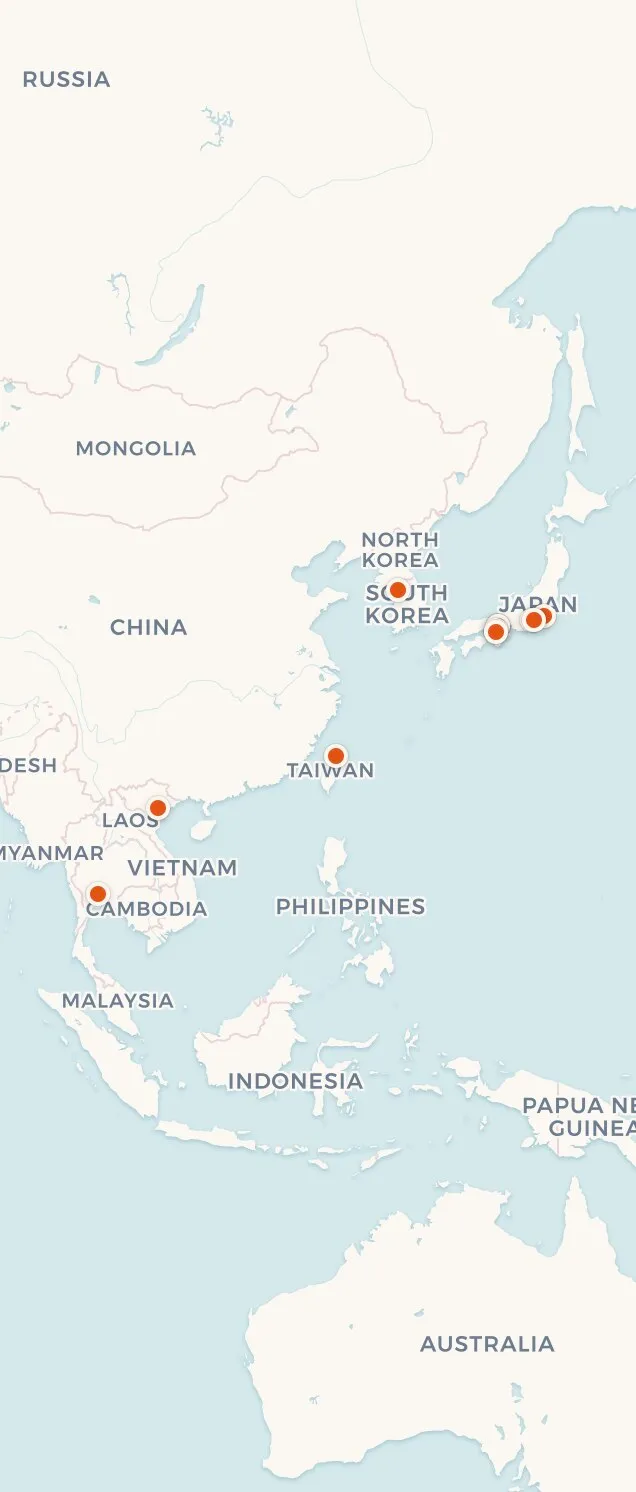
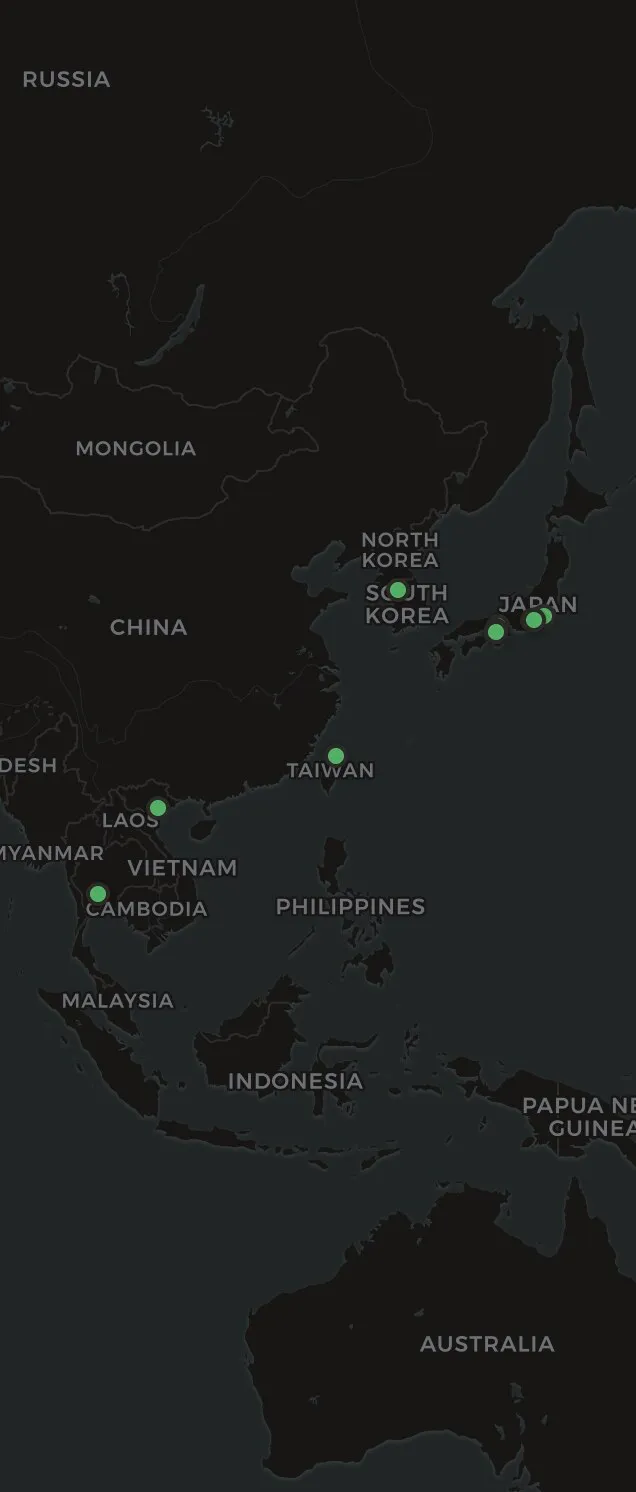
See your entries laid out on a calendar, or pinned to the places you wrote them.
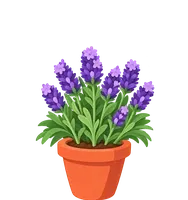
Write today and the count goes up by one. A small hydrangea over your entries grows with it, from a sprout to full flower. You can turn it off in Settings.
Log a walk, a glass of water or a page read right in the day's entry. Each habit gets half a year of squares and its own potted flower, which blooms as the weeks in a row add up.
Japanese, Arabic, Spanish, or a few of them in one entry. The ones that read right to left flow that way on their own.
Lock a journal and Cozy asks for its password before it opens. Until then it stays out of search and out of your other journals, and it locks again when you put the app away. On iPhone, Face ID opens it in a glance.
Cozy brings your old entries in from Notion, Day One, Obsidian, and Bear, so you start with your whole history.
“I've been a Day One user for 15 years but have been increasingly frustrated with and disappointed by the direction it's going. I've been searching for another app for the past two years and believe me when I say I've tried them all… I almost gave up but then Cozy came on my radar. It's a joy to use. Clean, pleasant to the eye. The essential elements of a great journal app are all there… the developer has been very responsive in adding useful features and solving teething problems. To me, the biggest advantage is that I now own my journal entries… I won't be renewing my Day One subscription.”
“This app is as close to perfection as you can get for journaling. No AI, no subscription and no ridiculous prompts. It is clean, easy to use and handles images along with text in a really beautiful way. I switched from the app I'd been using for over a decade and I haven't looked back. Worth every cent, and I would have paid extra for the iPhone app but the developer made it a shared licence so I didn't have to.”
“After using Day One for 15 years, I've made the jump to another journaling app… The never ending push to upgrade, AI inclusion and lack of quality updates is just too much. I've moved to Cozy and I'm really enjoying it. Cozy is lightweight, actively being worked on… I had some issues with the import feature and the developer was very responsive, even releasing a fix that same day.”
 u/akalanaya
 “I was a Day One user, but woke up one morning to them encouraging me to use AI to ‘interrogate’ my journal. Nope. That sent me looking for an alternative. I really like Cozy so far! It's clean, it's easy to use, my Day One entries zipped right into it. Thank you!”
“I'm loving Cozy so far and can't wait to try out the iPhone app as well when it's ready. Everything is working really well and it is a great writing experience in the app, very enjoyable to use.”
“I've been using it for a week and I do not regret the purchase at all! :) Very solid, intuitive and aesthetic. I synced with two of my computers to be able to access it from bed, which is where I like to do my digital journaling, and works like a charm. I hope your app continues to grow!”
u/sorabood “I've been using Cozy Journal for more than 3 months for my daily journaling, but I've also started using it for making notes or other stuff. It's surprisingly versatile without ever feeling complicated!! The design is honestly one of my favorite things about it. It's beautiful, calm, and the little flower illustrations are so cute~~It makes me actually want to open to see them bloom, which is probably half the battle when it comes to journaling xd I also really love the writing mode. Being able to add calm background music and keyboard typing sounds makes the whole experience feel really relaxing And there aren't annoying AI features constantly trying to summarize or ‘improve’ what I write Good work🌸🌹”
Your journal is a folder on your computer. Where you put it decides where it goes.
Cozy Standard is $49, once. That buys the Mac, Windows, iPhone and iPad apps, on every device you own, and a year of updates. When the year ends the app keeps working. Another year is $24, only if you want it.
If you'd rather never think about it again, Cozy Forever is $89 and includes every version I ever ship.
If it isn't for you, 14 days and your money back.
Only want it on your phone? You can buy Cozy for iPhone and iPad on its own, $29.99 once on the App Store.
Stripe handles the payment. Prices adjust to your country. Checkout shows you the real total, VAT and all, before you buy. Students and educators get 40% off.
Already bought Cozy? Download it.
No, and it never will. Your entries are regular files on your computer. If you ever want to use an AI tool with them, you can, on your own terms. Read more about why.
Not inside Cozy, if you lock the journal. On iPhone, Face ID opens it. The files underneath stay plain on your disk, so anyone who can log in to your computer can open the folder. Cozy doesn't encrypt them on purpose: your operating system does it better. Turn on FileVault or BitLocker and the journal is locked with the rest of your disk. On iPhone and iPad, iOS encrypts what Cozy writes behind your passcode. There's no password reset: forget it and Cozy can't open that journal again.
Yes, through the folder: iCloud Drive or Dropbox between computers, iCloud Drive with iPhone or iPad. Cozy has no sync service of its own.
Your journal goes with it, unless a copy lives somewhere else. I don't keep one on a server, so the backup is yours to make. The journal is a regular folder, so any backup you already run covers it.
Yes. Cozy runs on iPhone and iPad, built as its own app rather than a shrunken desktop one. It's on the App Store, free to download, with a one-time $29.99 unlock inside the app. If you already bought Cozy, your license covers it: type in the email you bought with, then the six-digit code I mail you, and the app unlocks. No second purchase.
Whichever word you use. Some people keep a journal, some people keep a diary, and Cozy is built for the same habit either way: a dated entry, a calendar to look back through, and a folder of your own files. There are longer versions for Mac and Windows.
No. Cozy Standard includes a year of updates. After that your version keeps working forever, and another year is $24, only if you want it: renew from your license page. Bought at the old price? Your renewal stays at $17. Cozy Forever includes every future version, and moving to it from Cozy Standard is $39.
Yes. Recover your key, enter the email you bought with, and I'll send it back. That email also has a sign-in link where you can see every key you own and free up a computer you've stopped using.
Pay once, and Cozy covers every Mac, Windows, iPhone and iPad you own.
$49 one-time, no subscription
On your phone? Get Cozy on the App Store. Your license unlocks it.
14-day money-back guarantee