
Search & On this day
The ⌘K command bar
Section titled “The ⌘K command bar”Press ⌘K (Ctrl+K on Windows and Linux) to open the command bar, the fastest way to move around Cozy without thinking about it. It searches your journal a few different ways:
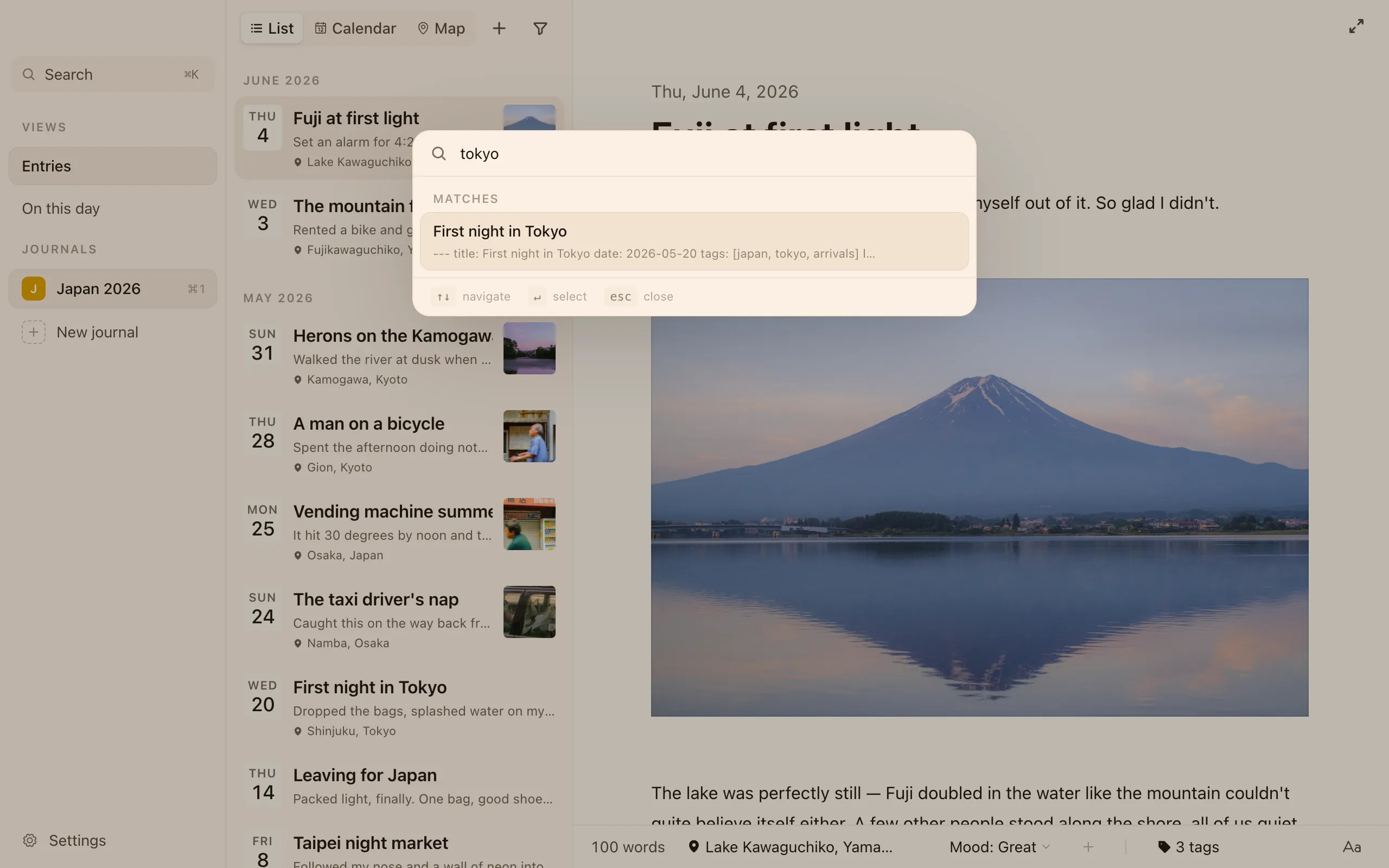
- By what you wrote. Type a few words from an entry and Cozy finds it, showing a snippet of where it matched.
- By date. Type a date (
March 5,1/1/1992,2020-12-25) and Cozy jumps to that day. If you didn’t write that day, it takes you to the closest one.
On this day
Section titled “On this day”On this day lets you read the entries you wrote on the same date in past years. It’s a quiet way to notice how things change, and how they don’t. Its subtitle spells out exactly what you’re looking at, like What you wrote on June 7 in past years.
Back to the top
Section titled “Back to the top”When you scroll down your list, or open an old “On this day” memory that parks you deep in the past, a little pill slides up at the bottom. Tap it to glide straight back to your newest entry.