
Create your first journal
A journal in Cozy is simply a folder on your computer. You can have as many journals as you like: one for everyday life, one for travel, one for work, each in its own folder with its own settings.
Start fresh or bring one in
Section titled “Start fresh or bring one in”When Cozy opens to your home screen, you have two paths:
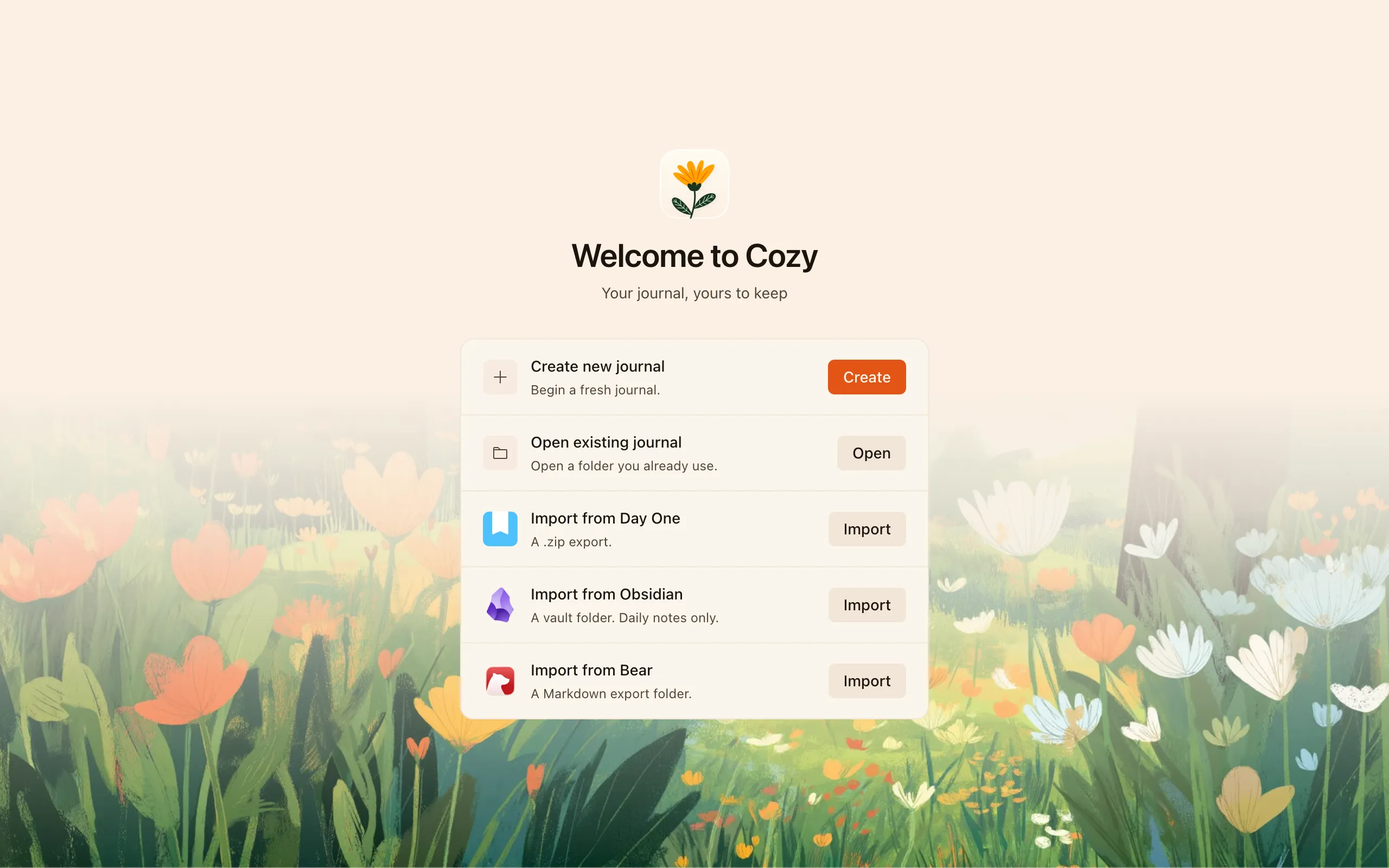
- Start a new journal — Cozy asks you to pick a folder where your entries will live. Choose anywhere you like: your Documents, a Dropbox or iCloud folder, an external drive. This folder is your journal.
- Import an existing journal — already journaling in Day One, Obsidian, or Bear? Cozy can bring your history in so you don’t start from a blank page. See Import from other apps.
What a new journal starts with
Section titled “What a new journal starts with”A fresh journal comes ready to write in. It also includes a ready-made Mood tracker (Great / Good / Meh / Low / Bad) so the feature is easy to find on day one. You can rename it, change its options, or remove it entirely. See Tags, places & trackers.
Switching and adding journals
Section titled “Switching and adding journals”You can create or open another journal at any time from the app menu (New Journal / Open). Each journal keeps its own settings, stored in a small config file inside its folder, so you can set each one up differently.
You can also move an entry from one journal to another later if you file something in the wrong place.
You’re ready to write. Head to Writing entries.