
Tags, places & trackers
Cozy bends to the way you like to journal. Beyond your writing, each entry can carry tags, a location, and trackers, all of which also unlock new ways to look back and filter your journal.
Add tags to an entry to group related days: travel, work, family,
whatever fits. Later you can filter your journal down to a single tag.
Places
Section titled “Places”Mark where you wrote an entry by adding a location. Start typing a city in the location field and Cozy suggests matches, so you don’t have to wonder whether to write “NYC”, “New York”, or “New York City”.
Added a place by accident? Open the entry’s location chip and remove it. The place is wiped from the entry. Locations are also what power the map view.
Trackers
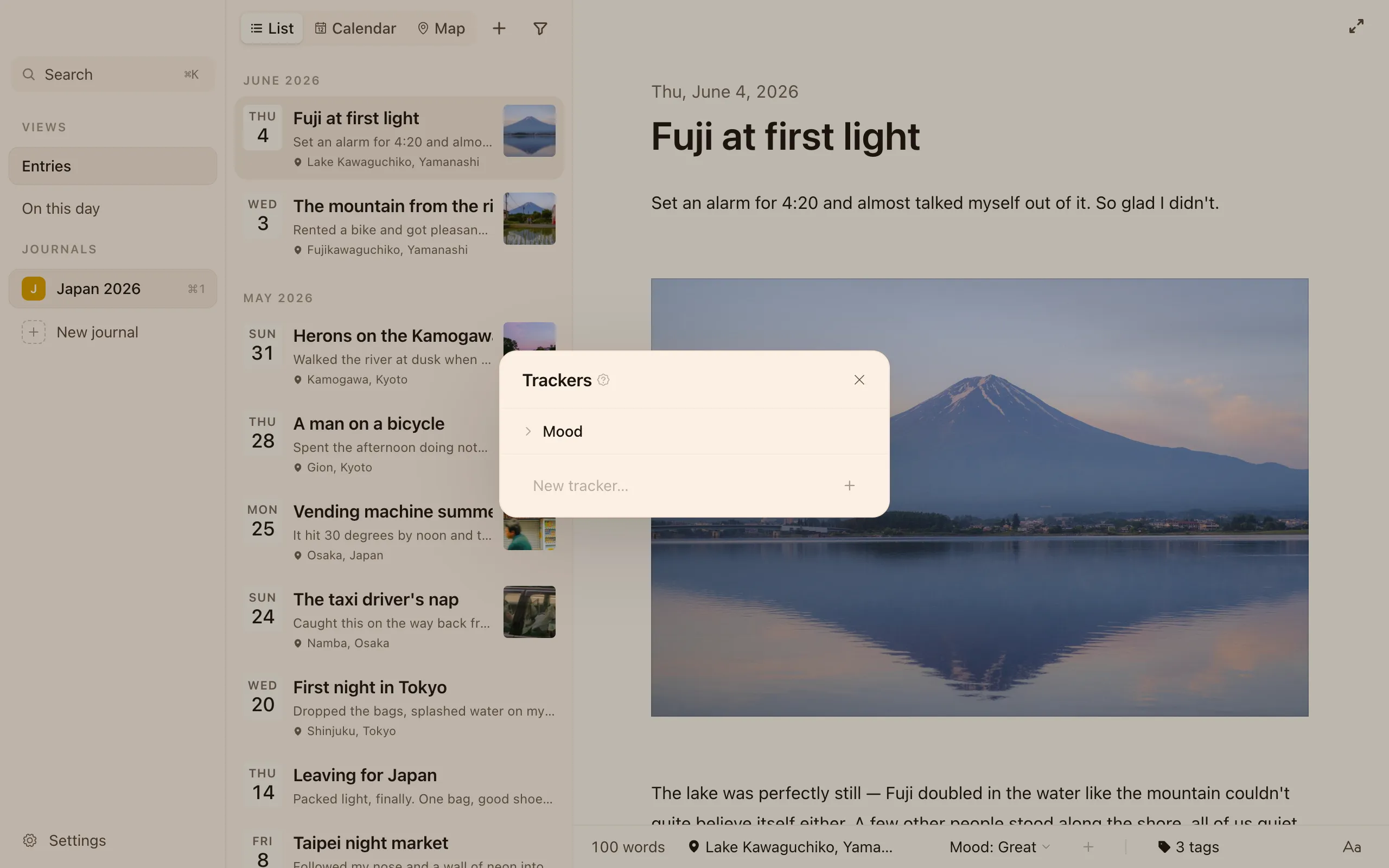
Section titled “Trackers”Trackers are properties you attach to entries to follow your mood, your habits, or anything else: sleep, weather, energy, workouts, you name it. (If you’ve seen them called custom fields in an older post, trackers are the same thing with a warmer name.)
Each tracker has a name and a set of options. A new journal starts with a ready Mood tracker (Great / Good / Meh / Low / Bad) so the feature is easy to find, but you’re free to reshape it.
Adding and managing trackers
Section titled “Adding and managing trackers”- Use the + Field control on an entry, or open Trackers, to create a new tracker and give it options.
- Set a tracker’s value on an entry right from the entry’s detail bar — e.g. Mood: Good.
Reordering
Section titled “Reordering”Drag any tracker to reorder the list, and drag its options inside to set the order you’d rather see them in.
Renaming
Section titled “Renaming”Open Trackers, double-click a name (or use the little pencil), and type a new one — “Mood” becomes “Vibes”, “so-so” becomes “meh”. Cozy updates every entry you’d already filled in to match, so none are left on the old name.